
.svg)

.svg)

AI answers help when you need clarity—search helps when you need specifics.
To the untrained eye, AI-powered search and answers could easily be mistaken as interchangeable technologies. Type a query, get something back, and decide what to do next. But not every job calls for the same kind of tool. Some tasks need a short file list you can scan. Others need a simple explanation, a summary, or just a closer look at your team’s content.
Marketing and creative teams know this tension well.
Searching for a campaign asset requires one mindset—fast retrieval, precise filters, and confidence you’ve grabbed the right file. Understanding why that campaign worked, what messages resonated, or how the creative evolved over rounds of feedback requires another. One is about locating information, the other is about making sense of it.
Dropbox Dash is designed to support both of these moments. You can move fluidly from “show me the file” to “tell me what matters here” without changing tools or starting from scratch.
Knowing which mode to lean on—and when to switch between search and answers—is what unlocks efficiency. It’s the difference between retrieving information and actually understanding it well enough to act with confidence.
We’ll walk through when to rely on each—and how Dash supports both in one workspace.

Why teams need both AI answers and search
Most knowledge workers bounce between two different needs—to find something or to know what it means.
Traditional tools are usually built for just one of those needs. Classic search engines are great at listing files, but they don’t explain what’s inside them. Similarly, generic AI chat tools are great at talking, but they can’t always point you to the exact deck, document, or asset you actually need to open.
For fast-moving marketing and creative teams, that gap shows up everywhere. Sometimes you need to lay eyes on the actual asset. Other times, you just need a tight, trustworthy summary so you can move on.
This creates a tension between two categories of challenges, those that rely on two distinct needs:
- Locating information: Teams often need to find a specific file, remember where something lives, or pull together assets across tools. This is a retrieval problem—search excels here.
- Interpreting information: Teams also need clarity, such as an overview of a project, a recap of past decisions, or insight into how documents relate. This is an understanding problem—AI answers excel here.
When teams use only one approach, they either:
- Dig through file lists when they really need a summary
- Ask AI for meaning when they actually need a specific file
Dash helps solve this by giving teams both options from the same workspace. You can start with universal search when you know what you’re looking for, or jump straight to Dash Chat when you only need the gist—and switch back and forth without losing context. That flexibility is how Dash turns AI from a novelty into a reliable partner.
What search does well—and when it falls short
When speed matters and you more or less know what you’re after, search is still one of the most powerful tools you have. It’s efficient, familiar, and great at one thing in particular—turning a clear intent into a short list of options you can open and act on. For a lot of day-to-day tasks, that’s exactly what teams need.
Search is ideal when you know what you're looking for or when the answer is a file itself. Search is best for:
- Finding a specific asset—a designer hunting for a particular Photoshop file or a brand-approved logo variation benefits from a clean, source-aware file list
- Exploring creative or campaign references—a strategist reviewing past launch materials might want to skim a set of files to compare themes or messaging directions
- Retrieving information across systems—search is efficient when content lives across securely connected apps, like Dropbox cloud storage, email, documents, slides, or creative tools
- Working quickly with a known goal—when a marketing team needs the final tagline deck or the approved image set, opening a file list is faster than asking AI
But search struggles in certain situations. For example, search isn’t ideal when:
- You can’t describe exactly what you need
- The answer isn’t a file but an explanation
- You want clarity across multiple documents
- You’re trying to understand decisions, not just find content
Search is built to retrieve, not interpret—which is why pairing strong universal search with AI answers (like Dash Chat) is so powerful. You get the file when you need it, and the meaning behind it when you don’t have time to read it all.
When AI-generated answers offer stronger value
When you need the story behind a file, scrolling through search results or hunting for the right version just adds friction. What you’re really looking for is a clear recap, a pattern, or a narrative that ties pieces of work together. AI-generated answers, instead of acting like a file index, can behave more like a clued-up teammate here.
AI answers shine when you need understanding more than retrieval. AI answers are best for:
- Summaries of long documents—a content strategist reviewing a multi-page positioning brief can ask AI for a concise recap, instead of reading the full file
- Synthesizing content across multiple assets—a creative director preparing for a pitch might ask, “What themes did we explore in our last three brand campaigns?”, so AI can gather and explain the patterns
- Explaining the ‘why’ behind work—answers help teams understand decisions, recommendations, or insights in a narrative format, such as by condensing email or Slack threads into a clear roadmap
- Creating momentum for creative work—instead of scanning research files a marketer can ask, “What were the main audience insights from our retail campaigns?” and build ideas more quickly from the answer
- Preparing for meetings or reviews—when you need context fast, such as the history of a project or discussion recap, answers greatly outperform file lists by giving you a quick, confident briefing instead of a pile of links
Nonetheless, AI summarization or answers are rarely a silver bullet—AI answers aren’t ideal when:
- You need the exact file to share with stakeholders
- You need to see the original visual or design asset
- You want to compare multiple files manually
- You need a specific file version
Answers explain. They don’t replace file access—and that’s the point. Used in the right moments, AI answers are a shortcut to clarity, especially when paired with a strong search that can always take you back to the original file.
How Dash brings both approaches into one workflow
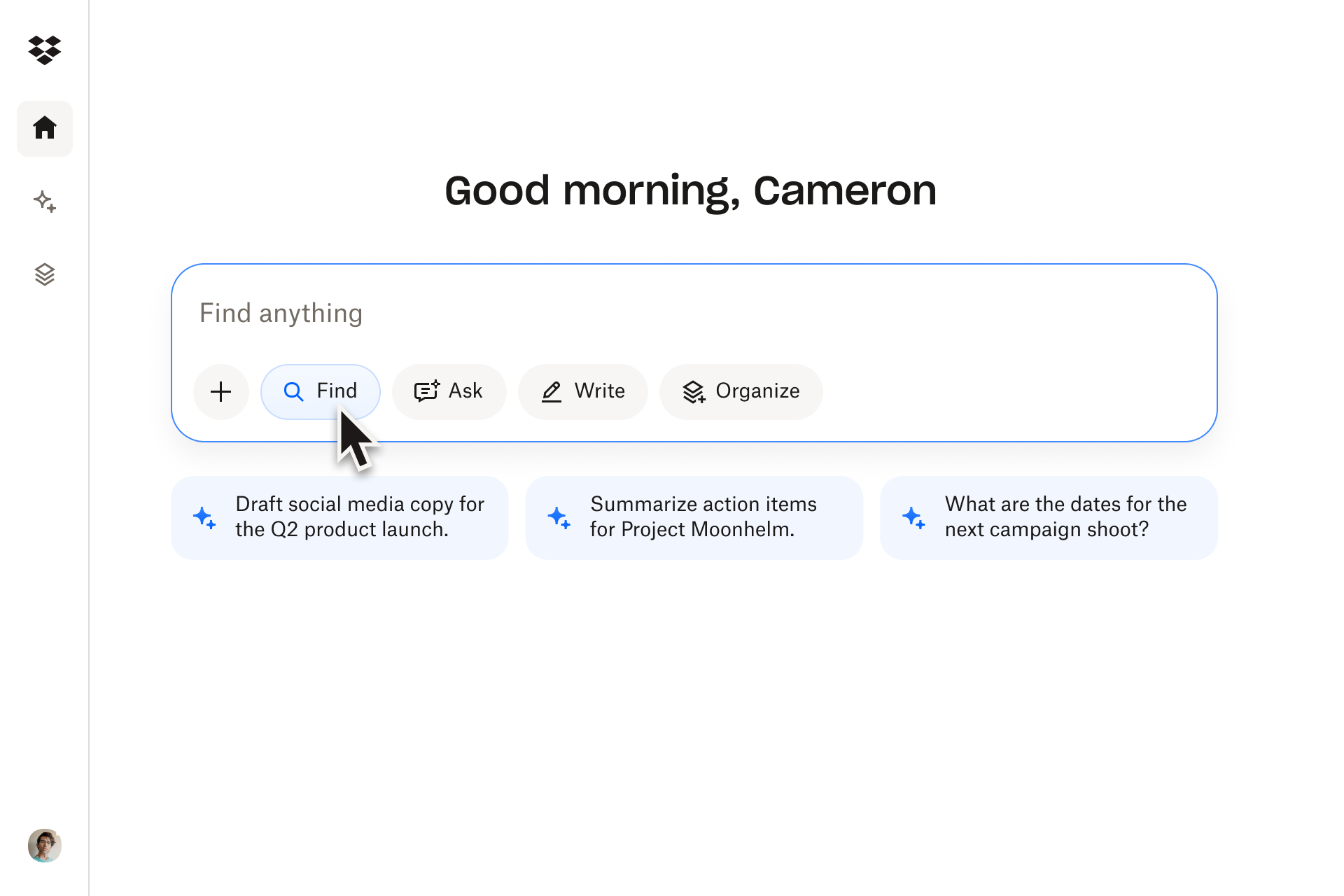
Some moments call for a precise file. Others call for a clear explanation. Dash is built so you don’t have to choose. It brings search and grounded answers into the same workspace, letting you move seamlessly between them.
Here’s how Dash makes it easy to switch between “find” and “understand” modes—without changing tools:
- Universal search for precision: Universal search in Dash surfaces files across connected apps so marketers and creatives can find campaign decks, summaries, and more in seconds—without remembering exact filenames, folders, or which tool they used last. It helps to focus, cut through brain fog, and clear up those hazy memories.
- Dash Chat for interpretation: When someone needs meaning—like “why did we shift our spring messaging?”—answers in Dash Chat can synthesize the content and provide a grounded explanation that’s tied directly to the briefs, decks, or feedback that informed the decision. It’s great for reliable information in a digestible format.
- Start page for daily focus: Dash includes a handy start page. Upcoming meetings and relevant files appear automatically, helping teams understand context before they jump into tasks and turning that first glance at the screen each morning into an instant briefing—instead of a scramble.
- Stacks for project clarity: Stacks allow you to bring related files together, making it easier to pair search results with AI explanations during creative reviews and planning cycles—so every project has a single, living home where assets, decisions, and learnings stay connected. Stacks are easy to share between teams with a link too.
- Fluid movement between modes: You can see an upcoming meeting in your start page, search for assets to prepare, feed those assets into Dash Chat, and refine the answers—all in one flow, without ever losing your place or context. Dash gives you the ability to flip between tasks and tools in one connected workspace.
Dash supports both sides of work—the part where you find answers and the part where you make sense of them—so teams can move from search to insight to action and improve efficiency across the organization.
Helps teams understand their content faster
Dash Chat uses your files to generate grounded explanations and contextual answers—giving you a reliable way to understand your content quickly.
A practical framework for choosing answers vs. search
A simple decision framework helps you determine what you actually need. Instead of guessing which tool to use every time, teams can lean on a clear split—use search when the output is a file and use answers when the output is understanding. Marketing and creative teams can rely on a simple decision-making process:
Use universal search when:
- You need a specific file (like a brief, asset, deck, or image)
- You want to browse related content
- You’re comparing creative options or past campaign variations
- You know the direction, but need the source material
Example: A designer preparing a moodboard needs approved photography sets. Search is the fastest way to retrieve those assets.
Use AI answers when:
- You need clarity or an explanation
- You want insights from multiple documents
- You’re reviewing a campaign or preparing a summary
- You’re exploring ideas or drafting content
Example: A marketing lead prepping for a planning session can ask, “What messaging themes did we use last fall?” and get immediate context for new direction-setting.
You can, and should, use both. Most workflows benefit from a combination, especially creative ones. Teams might search for reference files, feed them into Dash Chat, refine the insights, then search again to pull missing pieces.
Switching modes, and knowing when to do so, is what gives teams a competitive advantage.
Help your team work smarter with Dash
Search helps you find the right materials—AI answers help you understand them. Together, they form a workflow that supports better decisions, faster creative cycles, and more confident collaboration.
Dash combines both approaches, so teams don’t have to choose between speed and clarity. Want to see the impact it can make on your team? Try a demo or contact sales today to find out more.
Frequently asked questions

.jpeg)

.webp)