AI chat that gives you answers you can trust
Use Dash chat to ask questions, summarize documents, or draft content from scratch, using answers grounded in your connected files and tools. Every response is sourced from your work, so you can move forward with confidence.
.png)
Drive projects forward with fast, contextual AI answers

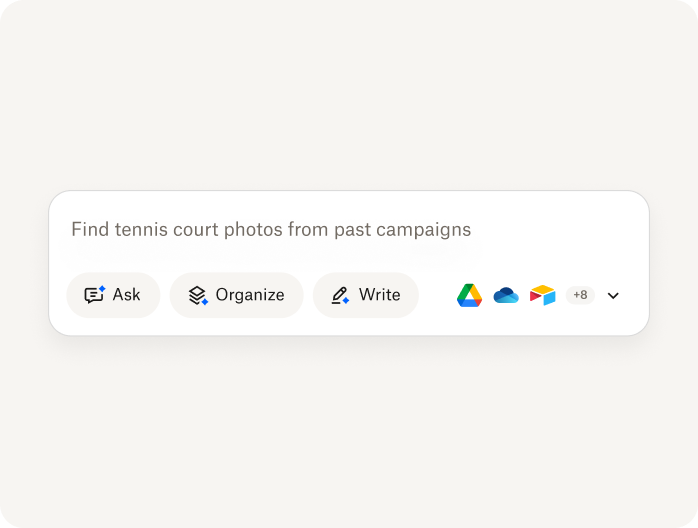
Ask plain-language questions and get AI answers sourced from your connected documents and tools
Refine results by asking follow-ups, no need to start over
Explore suggested content that helps you keep momentum
Summarize smarter, write faster, stay in flow

Summarize documents, articles, decks, PDFs, and other connected files into clear, accurate AI-generated takeaways
Draft emails, briefs, and reports using your own tone and source material
Turn a simple prompt into a structured outline, without switching apps
AI chat with clarity you can trust
.png)
Verify accuracy with cited sources in every AI answer
Surface answers based on existing permissions across your connected content
Stay focused and get more done with intentional AI-powered tools that reduce noise
Frequently asked questions about AI chat for documents and work
Yes. Dash chat can read your connected documents and internal content to answer questions grounded in your actual work. You can ask about a single document, a PDF, project files, reports, shared folders, or content across connected tools. Dash respects existing permissions, only surfaces content you already have access to, and provides cited sources so you can verify answers without manually searching through files.
Yes. Dash chat works as a fast summarizing tool for connected documents, articles, PDFs, and other files, so you can generate a quick AI summary in seconds. That makes it easier to create an article summary, support document analysis, and work through long discussions in connected apps without skimming everything manually.
Consumer AI chat tools rely on general knowledge and public information. AI chat tools like Dash chat are built for work—they answer questions using connected files, respect existing permissions, and provide responses grounded in your documents. That means more relevant answers, less guesswork, and far less upfront lift when getting a tool up to speed on your work.
Dash chat only surfaces content you already have permission to access. It respects your existing file permissions across connected tools and is built on the trusted Dropbox security foundation, so teams can use AI chat with work data without exposing sensitive content.
With Dropbox Dash, you can get started in minutes. Start a free trial, connect the tools and apps your team already uses, and Dash can begin understanding your work across connected content. It can quickly surface the right files, summarize documents, answer questions, and help draft new work based on your team’s existing materials. You don’t need to manually train Dash, move your files, switch platforms, or go through complex IT setup procedures—and Dash respects existing permissions, so people only get answers from content they already have access to.
Teams use Dash chat to summarize documents, answer questions from files, and draft content using their own materials. It reduces time spent searching and organizing information—so teams can focus on meaningful work instead of digging through content.
See how Dash helps teams get more work done

.webp)