
.svg)

.svg)

Replay and Dash can simplify creative workflows—from first cut to final approval.
Managing input from multiple stakeholders can turn even small creative projects into marathon review cycles. Ask any creative team what slows them down, and you’ll likely hear the same answers:
- Too many versions
- Too much feedback
- Unclear feedback
- Not enough clarity about what’s final
For creative agencies, the feedback process is both vital and painful. Notes come in from different tools, comments overlap, and approvals lag behind production schedules. This means problems like missed deadlines, bloated email threads, and frustrated clients can regularly rear their heads during busy times.
Dropbox Replay and Dropbox Dash were built to fix that. These tools complement each other perfectly. Together, they bring speed, structure, and context to the creative approval process—so teams can move from concept to delivery without losing their creative momentum.

Why creative teams lose time in the feedback process
Creative projects naturally involve collaboration, but feedback often arrives in fragmented ways—via messages, spreadsheets, emails, exported PDFs, or even just an offhand comment from a key stakeholder in a meeting.
Without a centralized system, teams waste a substantial amount of time deciphering, organizing, and tracking revisions. Common blockers that result from scattered feedback include:
- Duplicate feedback: Two reviewers might leave similar comments in different threads. This leads to repetitive edits, unnecessary rework, or wasted time reconciling identical points—instead of progressing the project.
- Lost context: Teams may be unable to see which version a note refers to. When comments are disconnected from the right file or timestamp, decisions become guesswork—slowing down delivery and risking mistakes.
- Approval bottlenecks: Final sign-off can get buried in long email chains—so delays pile up as stakeholders struggle to find the latest version, stretching timelines and stalling campaigns that should already be live.
- Tool switching: Designers, editors, and clients work across disconnected platforms. Constantly jumping from app to app breaks focus, increases the chance of missed updates, and leaves creatives floundering in logistics.
Getting stuck in the feedback process instead of execution is a symptom of disorganization. These inefficiencies compound as projects scale—creating the feeling of teams being busy, without actually moving forward.
The hidden costs of a scattered creative approval process
When feedback lives everywhere, creative flow disappears. Editors pause mid-project to track down notes. Project managers spend hours reconciling conflicting requests. And clients lose confidence when deliverables get delayed.
Here’s what that chaos looks like in real life:
- Lost focus—designers and writers break momentum chasing feedback instead of creating
- Mixed messages—multiple reviewers mean multiple directions with no clear final call
- Missed deadlines—when version control breaks down, so does your delivery schedule
- Burned-out teams—endless revisions and disjointed feedback loops crush morale
- Eroded trust—clients and stakeholders start doubting timelines, and the process itself
The real cost is the quality of the project. Rushed revisions lead to missed details and uneven results.
According to Asana’s 2023 Anatomy of Work Global Index, teams spend 58% of their day on “work about work”—the coordination and communication tasks that keep projects moving, but rarely move them forward. That statistic mirrors what creative teams experience—energy lost to scattered feedback loops and unstructured approvals.
To fix the creative approval process, teams need one space where work, comments, and context live together—and where AI can help them stay organized, which avoids that sinking feeling of being overwhelmed.
How Replay accelerates video reviews and sign-offs
Dropbox Replay is designed for creative professionals who need fast, accurate, and visual feedback.
Instead of collecting notes across platforms, teams can review, comment, and approve video content directly within Replay. Here are a few ways it helps streamline workflows:
- Frame-accurate feedback: Reviewers can leave comments tied to exact timestamps, so editors know precisely where to make changes. This eliminates ambiguity and shortens the feedback loop, which helps creative teams move from first cut to final delivery with fewer revisions.
- Consolidated revisions: All feedback appears in one timeline in Replay, eliminating redundant comments and version confusion. Everyone works from a single source of truth, ensuring that every note is seen, every edit is tracked, and nothing gets lost between versions.
- Easy sharing and access: Teams can view, comment, and approve without downloading or logging into multiple tools. That ease of access keeps projects moving smoothly, reduces approval delays, and makes it simpler for stakeholders to stay engaged and aligned.
For a creative agency managing multiple campaigns, Replay replaces the chaos of scattered notes with a single, structured review hub—helping teams to save hours of busy work and deliver polished work faster.
How Dash summarizes and organizes creative feedback
Once video revisions are underway, Dropbox Dash keeps everything connected. Dash acts as a universal search and AI workspace, giving creative teams instant access to files, notes, and updates—across all their tools.
No more juggling email threads or Slack messages—just one place where every idea, decision, and edit comes together in context. Here are how a few AI-powered Dash features make that happen:
AI summaries of feedback threads
Dash Chat can summarize complex or overlapping feedback, highlighting recurring points or unresolved questions. Instead of reading every comment, editors and producers can see key takeaways instantly. This means creative teams gain clarity faster, and they can focus their energy on execution rather than interpretation.
Version tracking and organization
Dash connects to all your apps and shared data sources, including Replay files in your Dropbox cloud storage, making it easy to surface the latest approved version or link back to earlier files for reference. The result is more visibility and less confusion over which cut is final or which notes apply to which version.
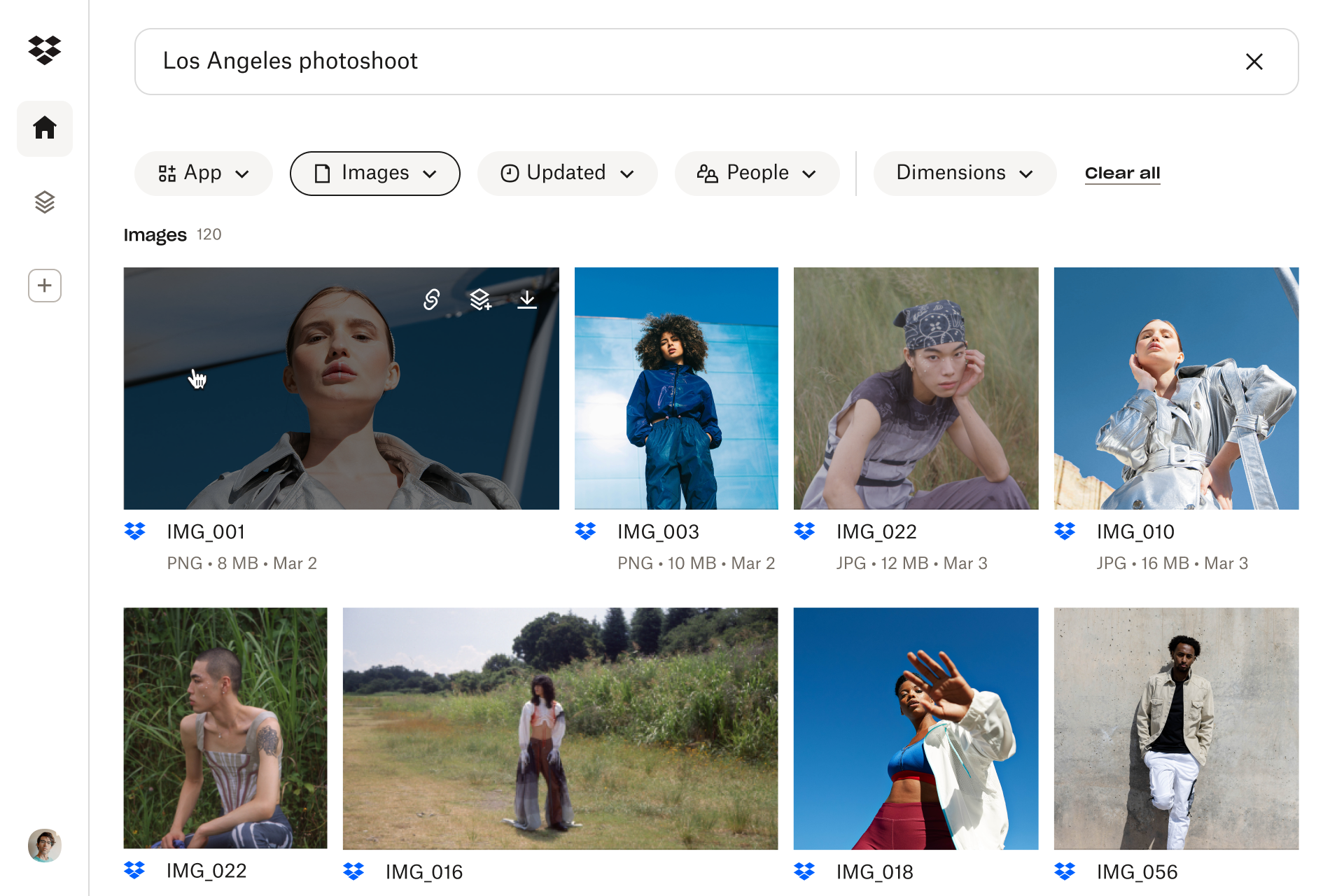
Unified search for creative assets
Need to find the most recent storyboard or script? With AI-powered universal search in Dash, you can easily locate assets across drives, messages, and folders—even if the file name isn’t exact. You can even ask a question about a file in Dash Chat for more insight. The key advantage here is that your creative flow never gets interrupted.
Together, Dash and Replay close the loop between review and revision—keeping creative teams in sync, even under tight deadlines. These benefits can be felt across industries, with many use cases for workflow efficiency gains.
Keep projects moving
Dash Chat can summarize creative feedback and connect to every file in one unified workspace—so creative teams can move from notes to next steps faster.
How Replay and Dash work together for seamless collaboration
Creative work moves fast—and when multiple stakeholders, tools, and versions get involved, feedback can quickly turn from helpful to hectic. It’s enough to make a video project stall.
That’s where Replay and Dash work together. Replay streamlines review cycles, while Dash brings greater context, organization, and AI-powered clarity to every stage—so teams stay in sync from first frame to final delivery.
Let’s look at a real-world example. Imagine a creative agency producing a series of client videos:
- The editor uploads the first cut to Replay—stakeholders leave time-stamped feedback and approve the structure, everyone’s notes stay precise, actionable, and tied directly to moments in the timeline.
- Dash organizes the related assets—scripts, decks, and reference materials can be stored in connected Stacks, so teams have one central hub for everything, which means no more hunting through folders.
- The producer summarizes client feedback—a Dash Chat summary becomes the basis for the next edit round, AI reduces the noise and packages feedback into clear next steps.
- The revised cut is uploaded to Replay—feedback cycles are shorter and clearer, with context carried forward, which means teams spend less time clarifying and more time creating.
- Final assets are approved and archived—Dash indexes everything automatically for easy reference, every deliverable or decision is documented and findable in universal search, ready to repurpose later.
This end-to-end workflow through Replay and Dash saves hours of manual coordination—and ensures that creative energy stays focused on producing great work instead of chasing updates.
Best practices for faster, more focused creative workflows
The key to smoother workflows is smarter systems that keep feedback, files, and decisions connected from start to finish. Replay and Dash give teams the structure and speed they need to keep creativity flowing.
To make the most of Replay and Dash, creative teams can:
- Centralize reviews in Replay—keep all visual feedback in one place with time-stamped comments and annotations to make every edit clear, actionable, and easy to follow
- Use Dash Stacks for organization—group scripts, assets, and final files together so everything stays connected, searchable, and in context
- Summarize feedback regularly—let Dash Chat distill client comments into actionable insights, so AI highlights what matters most and helps teams prioritize edits
- Close the loop—use universal search in Dash to locate the approved version in seconds when delivering or repurposing content, so that the final file is always ready to publish, share, or reuse without hesitation
With these practices, teams spend less time managing input and more time crafting output. Together, Replay and Dash make creative collaboration feel effortless and provide more breathing room for great ideas to shine.
Streamline your feedback process with Replay and Dash
Creative work moves quickly, and so should feedback. Replay and Dash complement each other to give teams the structure to collaborate fluidly, no matter how many clients, versions, or reviewers are involved.
By combining Replay’s frame-accurate commenting with intelligent organization and summarization in Dash, you can turn complex workflows into repeatable systems—for faster approvals and more time spent on what matters.
From video review to version tracking, Replay and Dash connect the steps of the creative approval process. See how Dropbox Dash helps creative teams stay organized and aligned—try a demo or contact sales to get started.
Frequently asked questions



.webp)